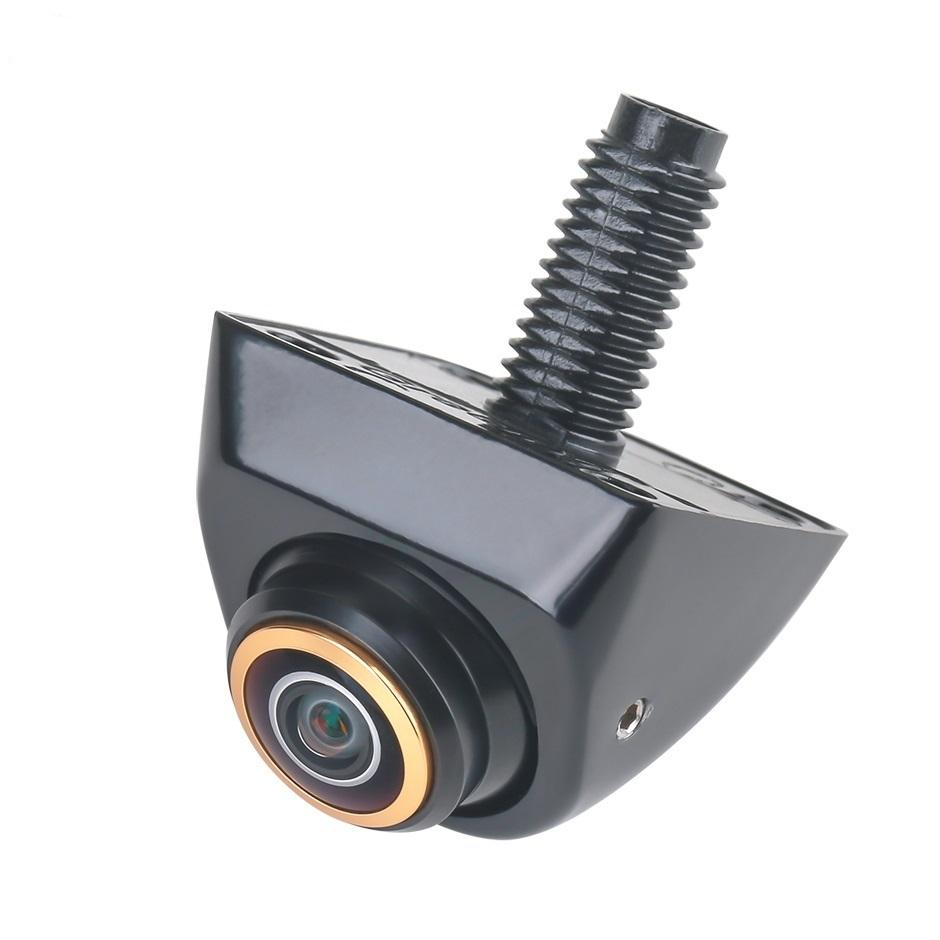
AHD vs CVBS: the quick answer
Choose the camera format your receiving unit explicitly supports. AHD (Analog High Definition) carries HD analogue video, while CVBS (Composite Video Baseband Signal) is conventional standard-definition composite video. An AHD camera requires an AHD-compatible input at the correct resolution and frame rate. A CVBS input requires the supported composite standard, usually PAL or NTSC.
A matching RCA or multi-pin connector does not prove compatibility. Confirm the signal format, input mode, supply voltage and pinout before connecting a camera or approving an order.
For distributors, installers and private-label buyers, a verified camera–cable–display combination is more useful than an isolated “HD” label. This guide explains what to confirm before samples, installation and bulk procurement.
AHD and CVBS reverse camera comparison
| Buying consideration | AHD reverse camera | CVBS reverse camera |
|---|---|---|
| Video signal | Analogue HD; confirm the exact output mode. | Standard-definition composite; confirm PAL or NTSC. |
| Resolution | 720p and 1080p are common configurations; support depends on the camera and receiver. | Conventional PAL/NTSC video, commonly decoded as 576i/480i. Sensor megapixels do not change the output standard. |
| Receiving input | Must explicitly support AHD at the selected resolution and frame rate. | Must support the camera's composite standard. |
| Image detail | Can provide more detail with a compatible decoder and display. | Lower signal detail; may suit existing composite-input equipment. |
| Connector | May use RCA or a multi-pin connector; verify wiring. | May use RCA or a multi-pin connector; verify wiring. |
| Best starting point | New matched systems with documented AHD support. | Replacing a camera on a confirmed CVBS-only system. |
AHD is a transmission format, not a guarantee of better night performance, waterproofing or installation quality. Lens, sensor, image processing, mounting and lighting also affect the usable picture. Nextchip describes AHD as analogue HD technology; Analog Devices explains CVBS as composite video. See the technical references.
Which format should you choose?
- Existing CVBS-only monitor: use a camera with a confirmed compatible CVBS output. An AHD-only camera will not become compatible through a passive plug adapter.
- Head unit with documented AHD support: match its supported resolution and frame rate. “Supports AHD” alone is incomplete.
- Mixed head units across your customer base: consider separately labelled configurations or a documented switchable camera. Confirm its factory default and switching procedure.
- Original factory screen: identify the vehicle interface first. A factory camera may use a different voltage, connector or video link and may require a vehicle-specific interface.
- Unknown receiver specifications: obtain the manual or input specification and test a sample before ordering stock.
A high-resolution Android display does not automatically mean its rear-camera decoder accepts AHD. Likewise, AHD, HD-TVI, HD-CVI and digital factory camera links are not interchangeable simply because they carry an HD image.
The 7 checks before you connect or order
1. Identify the receiving unit and camera input
Record the exact head unit or monitor model, hardware version where available, and the rear-camera input specification. Photograph its camera settings and connector labels. Verify the rear input specifically; front and auxiliary inputs may have different capabilities.
2. Match format, resolution and timing
For AHD, request an explicit mode such as 720p at 25 fps or 1080p at 30 fps and confirm the receiver accepts it. For CVBS, confirm PAL or NTSC. Do not treat a “1080p screen” claim as a camera-input specification. Use the receiver's documented settings rather than changing unrelated engineering options.
3. Verify camera supply voltage and ground
Check the camera's rated supply range and polarity. Vehicle electrical-system voltage, a camera's power requirement and a reverse-trigger signal are separate specifications. Some factory cameras use a reduced-voltage supply. Do not apply vehicle battery voltage to an unidentified camera; use the approved wiring or interface.
4. Confirm connector pinout, not only connector shape
Request a pin-by-pin drawing for power, ground, video and any control wires. Multi-pin “aviation” connectors are not a universal wiring standard. A passive RCA adapter changes the connection, not the signal format. Any active converter must explicitly support the required input and output modes and be tested in the system.
5. Confirm cable length and installation route
Specify the installed cable length, extension connections and any interface or wireless link. Test the actual harness, not only a short bench cable. Avoid relying on generic transmission-distance claims: cable quality, connections and the receiving equipment affect the result.
6. Confirm image orientation and parking guidelines
Agree on rear mirror-view versus front normal-view, mounting position, and whether guidelines come from the camera or the head unit. Two sets of guidelines can overlap. “Dynamic guidelines” may require additional vehicle data or interface support; confirm the exact implementation.
7. Approve a complete sample combination
Validate the camera, harness, interface, settings and target display together. Record the approved part numbers and configuration before a bulk order.
Can one camera support both AHD and CVBS?
Some cameras offer selectable AHD/CVBS output; others are fixed-format. EchoMaster's configurable kit is one documented example of selectable formats. This does not mean every reversing camera offers switching or uses the same method.
Ask for the supported output modes, default mode, switching instructions and whether a power cycle is required. Settings may depend on a menu, control or model-specific wiring. Do not cut an unidentified wire based on another camera's instructions. Confirm the camera SKU and manual first.
For wholesale orders, specify the shipped output mode on the purchase order and packaging. This helps installers avoid receiving a compatible camera in an unexpected default mode.
No picture or unstable image? What to check first
| Symptom | Possible areas to check | Useful evidence to send |
|---|---|---|
| Receiver does not switch to reverse view | Reverse trigger, input selection and vehicle interface configuration. | Receiver model, trigger wiring diagram and settings photos. |
| Reverse view opens but shows no image | Camera power, video path, AHD/CVBS mismatch or unsupported timing. | Camera label, supported input modes, measured supply and connector photos. |
| Rolling, distorted or monochrome picture | PAL/NTSC selection, timing, signal integrity or connections. | Short symptom video and both devices' selected modes. |
| Works on a short cable but not installed | Harness, extensions, supply drop, grounding or interference. | Installed cable length, route and connector details. |
| Mirrored image or duplicate guidelines | Camera orientation and camera/head-unit guideline settings. | Mounting photo and settings screenshot. |
These are starting points, not a diagnosis. Isolate one variable at a time using documented settings and a known-compatible test device. Have an installer verify electrical measurements and wiring when needed.
Sample approval checklist for wholesale buyers
- Configuration: record camera SKU, receiver model, video mode, supply range, pinout, cable length and any interface.
- Picture: check daylight, low light, backlighting, field of view and whether important areas are visible at the intended mounting angle.
- Operation: verify reverse engagement, repeated switching, image orientation, guidelines and behaviour after power cycling.
- Installed conditions: test with the real harness and vehicle, including engine-running conditions where applicable.
- Mechanical fit: confirm mounting dimensions, connector clearance, sealing instructions and cable routing.
- Production agreement: document labels, default output mode, approved sample, packaging, inspection criteria and defect-handling terms.
Request evidence for environmental or ingress-protection claims against the exact model and test conditions. A video-format label does not establish product certification or compliance in your destination market.
What to send for a compatibility check and quotation
A complete brief lets the supplier identify missing information before quoting. Copy the fields below or download the reverse-camera compatibility brief.
- Vehicle make, model, year and market
- Head unit/monitor model and camera-input specification
- Required AHD resolution/frame rate or CVBS PAL/NTSC mode
- Camera supply voltage, polarity and connector pinout
- Connector, dashboard and mounting photos
- Cable length, interface and installation arrangement
- Mirror view, guidelines and low-light requirements
- Sample quantity, bulk quantity, destination and branding needs
Do not know the video format? Send the receiver model and camera settings photos first. Compatibility can be reviewed from the available documentation, with sample testing used to resolve remaining uncertainty.
Frequently asked questions
Will an AHD camera work on a CVBS-only head unit?
Not directly in AHD mode. The receiver must support the signal. A switchable camera may work in its documented CVBS mode; otherwise a suitable tested active converter or a different camera is needed. A passive connector adapter does not convert AHD to CVBS.
Does an RCA plug mean the camera is CVBS?
No. RCA describes a connector, not a video format. Confirm the camera output and the receiver input independently.
Is 1080p AHD always better than 720p?
No. It can carry more detail, but the receiver must accept that exact mode. Lens, sensor, processing, lighting and display quality also affect the result.
Can I change PAL to NTSC in the head unit?
Only where the receiver supports that setting and the camera signal matches. Changing a CVBS PAL/NTSC setting does not turn a CVBS-only decoder into an AHD decoder.
Can I replace a factory camera with a universal AHD camera?
Only after checking the factory video interface, supply voltage, mounting, wiring and any required adapter. Vehicle make and year alone do not prove compatibility.
What should I confirm before a bulk reverse-camera order?
Approve the exact camera, receiver, harness, output mode, voltage, pinout and installed cable length. Record the sample results and agreed production configuration, labels and after-sales terms.
Technical references and further reading
These manufacturer references explain the underlying formats and illustrate model-specific capabilities. They do not certify or establish compatibility for a Navlumo product.
- Nextchip: AHD technology — analogue HD transmission and supported configurations.
- Analog Devices: Video Basics — composite/CVBS terminology and analogue video fundamentals.
- Analog Devices: ADV7283 decoder — documented NTSC/PAL/SECAM baseband decoding.
- EchoMaster: configurable AHD/CVBS camera kit — an example of selectable output, with model-specific wiring.
Continue reading: Android car radio manufacturer buying guide. Explore reversing camera solutions or discuss OEM/ODM requirements.